

A brand-new account that posts a subscription link on day one looks like spam to every platform.
So don't do it.
Spend your first 2–4 weeks acting like a real creator: post, reply and build an audience. Then share your link - through a link page, never your Fanvue URL directly.
Here's exactly how to do it, platform by platform.
Before you start
Get these right once and they carry across every platform.
- Open your Fanvue account now, link it later. Use the warm-up weeks to set up your profile, banner, intro video, welcome message and first paid sets - so you're ready the day traffic arrives. Work on content.
- One name everywhere. Use the same creator name and a similar handle on every platform. Fans who find you in two places trust you more.
- A finished, SFW profile from day one. Profile photo, display name and a short bio with no link and no adult words. Empty profiles look like bots.
- Set your age and content settings honestly. Turn on 18+ or sensitive-media settings wherever the platform offers them.
- Use the app, on your own phone. Run your accounts the way a regular user does.
- Label AI content. If you use AI-generated content, turn on each platform's AI label - and never use photos of real people.
Platform by platform
Start with one or two platforms and do them well.
Spreading across six on day one is the most common beginner mistake. Two strong accounts beat six empty ones.
Instagram is where most top creators find their fans - and it's the strictest about links.
- Week 1: post 1 Reel a day, plus a few Stories. Follow and engage with accounts in your niche. No link in your bio yet.
- Weeks 2–3: build up to 2–3 Reels a day, 2 carousels a week and daily Stories. Reply to every comment and DM.
- Your link: add your link page to your bio once you've passed the checklist below. Mention it with soft Story CTAs ("more on my page 👆") about twice a week, and save one as a Highlight.
- Don't send links in DMs, tag @Fanvue, or post anything outside Instagram's Community Guidelines.
TikTok
TikTok is great for reach. But it doesn't allow promotion of adult platforms - even indirectly.
- Weeks 1–2: post 1–2 videos a day using trending sounds. Watch and comment in your niche, so the algorithm learns who you are.
- Your link: keep Fanvue off TikTok completely. No mentions, no links, no hints in videos or captions. Use TikTok to grow your name and your audience.
- Then funnel the traffic from TikTok to Instagram.
X
X allows adult content, so it's the most relaxed. But new accounts that only post links still get limited.
- Week 1: set up your profile, turn on "mark media as sensitive" and keep your profile photo and header SFW. Post daily and reply to bigger accounts in your niche.
- Your link: after about a week of normal activity, add your link page to your bio and pin one post. Put links in the first reply, not the main post.
Threads
Threads runs on your Instagram account. Treat it as an extra, not a separate warm-up.
- Every day: post short text and photo posts and reply to others. Keep it conversational.
- Your link: don't add one here. Point people to your Instagram instead.
Reddit rewards people who join in - and bans people who only promote.
- Weeks 1–2: comment in general and niche subreddits to build karma. Many creator subreddits need a minimum karma and account age before you can post.
- Before posting: read each subreddit's rules. Many require verification and ban links in titles.
- Your link: put it on your Reddit profile, not in every post - and only post in subreddits that allow promotion.
At a glance
| Platform | Warm-up before linking | Daily activity | Where your link goes | Mention Fanvue? |
|---|---|---|---|---|
| 2–4 weeks | 1–3 Reels, Stories, replies | Link page in bio, Story CTAs, Highlight | No | |
| TikTok | Ongoing - grow your name | 1–2 videos | Nowhere - keep Fanvue off TikTok | No |
| X | About 1 week | Daily posts and replies | Link page in bio, pinned post, first reply | Yes, via your link page |
| Threads | Follows Instagram | Daily posts and replies | Your Instagram | No |
| 1–2 weeks of karma | Comments, then posts | Profile, and subreddits that allow it | No |
When it's safe to share your link
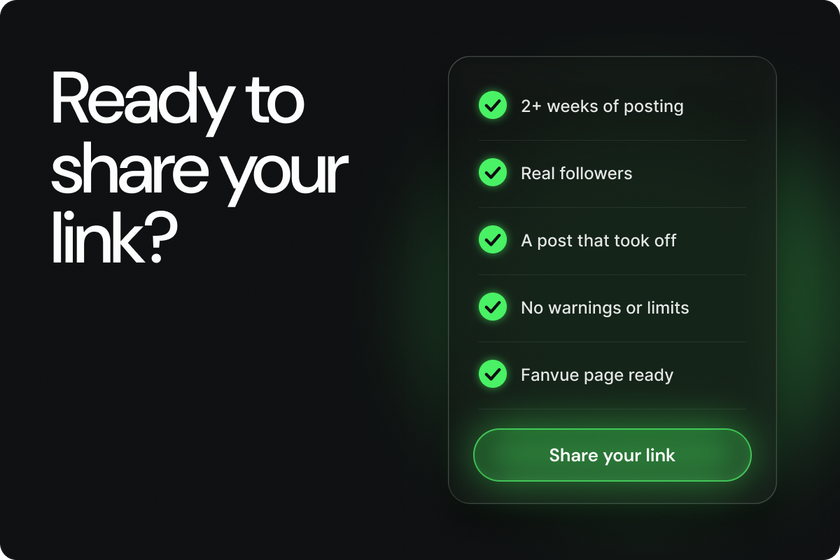
Share your link once your account looks and acts like an established creator. Tick off all of these first:
- Your account is at least 2 weeks old (3–4 on Instagram)
- You've posted most days, with no long gaps
- You have a few hundred real followers - not bought ones
- At least one post did better than usual: more views, shares or new followers
- People are messaging you or asking where to see more
- No warnings, removed posts or reach limits in the last 2 weeks
- Your Fanvue page is ready: profile, banner, intro video, welcome message and at least one paid set
Then launch properly. Add your link, post a Story or pinned post announcing it, and run a free trial or first-month discount - so your first fans have a reason to join that day.
Use a link page, not your Fanvue link
Never put your Fanvue URL straight into a social bio.
Use a link page in between: an SFW page with your photo, your name and one button to Fanvue. It keeps your social account safer - and lets you change where fans go without touching your bio.
Use a link-in-bio tool built for creators. Many are free for a handful of links, and some open your page in the fan's normal browser instead of the app's built-in one - so fans who are already logged in can subscribe straight away.
Set it up in 5 steps
- Claim your handle on a creator link-in-bio tool, using the same name as your socials.
- Create a Fanvue tracking link for each platform (for example ig, x, reddit), so you can see where your subscribers come from.
- Build one link page per platform, each with its own tracking link behind the button.
- Keep the top of the page SFW: one photo, your name, one line about you and one clear button - like "Join me on Fanvue" or your current offer.
- Add the page to your bio only once you've passed the checklist above.
Mistakes that get new accounts restricted
Adding a link on day one. It's the fastest way to get a new account flagged.
Posting your Fanvue URL directly. Always go through your link page.
Posting explicit content on social. Keep your socials SFW. Your Fanvue page is where paid content lives.
Sending links in DMs. Reply warmly and point people to your bio or story highlight instead.
Going quiet. A week of silence undoes a lot of the trust you've built.
Buying followers or using automation. Fake engagement and bots are easy for platforms to spot.
Copying other creators. Reposting someone else's content or using a real person's photos can get you banned - on social and on Fanvue.
Once you're live, keep posting at the same pace. The link brings fans in. Your content keeps the account healthy.
Warm it up. Link it right. Keep showing up.