

A discount that runs forever isn't an offer. It's just a lower price.
The offers that actually move fans have two things: a clear reason, and a clear deadline. Halloween gives you both.
Here's how to set one up in minutes - and make the most of it.
Why 48 hours works
Fans don't act on "someday". They act on "tonight".
A short window creates urgency. It gives fans a reason to subscribe now, not next week. And it gives you a reason to message them - twice.
This year, Halloween lands on a Saturday. Run your offer from Friday evening to Sunday night and you cover the whole weekend, when fans are already online and looking for something special.
Pick one offer
You'll find all three in Creator Tools → Promotions.
- First Month Discount - best for turning followers into subscribers. A lower first month takes the risk out of hitting subscribe.
- Free trial link - best for your socials. You choose how many people can use it, when it expires and how long the trial lasts. Perfect for one Halloween post, one link, one weekend.
- Promotional bundle - best for fans who already love your content. You choose the discount and the length - they pay upfront, you lock in their subscription for longer.
Set it up
- Head to Creator Tools → Promotions
- Choose your offer type
- Follow the prompts to set your discount, duration or trial length
- For a free trial link, set the expiry date to Sunday 1 November
- Save it - and copy your link if you're promoting it on socials
That's it. It takes a couple of minutes.
Get the timing right
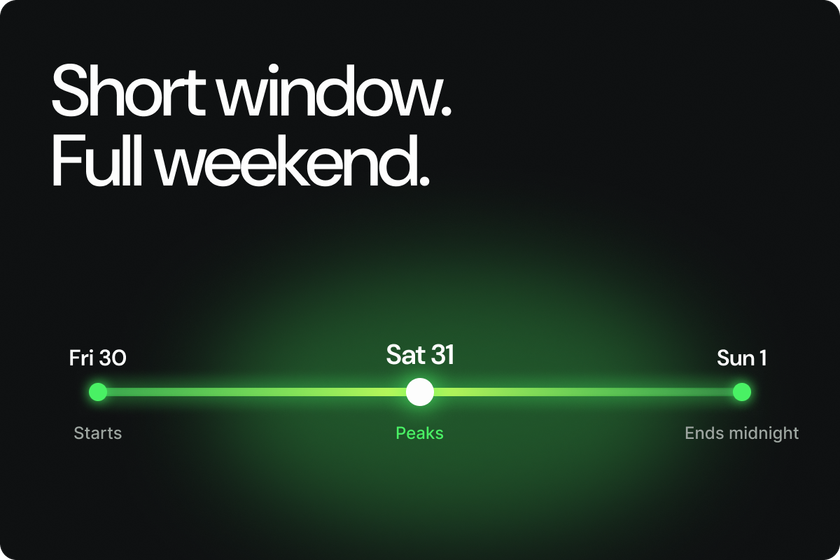
Starts: Friday 30 October, early evening
Peaks: Saturday 31 October
Ends: Sunday 1 November, midnight
Then it's gone. No extensions. That's what makes the next one work.
Tell your fans
An offer nobody hears about doesn't sell. Send two messages.
When it starts (Friday)
"My Halloween weekend starts now. For 48 hours only, [your offer]. Ends Sunday at midnight."
Last chance (Sunday)
"Last few hours. My Halloween offer ends at midnight - then it's gone."
Post about it on your socials too, with your link front and centre. Not sure what to post? Our Halloween Playbook has you covered.
Three mistakes to avoid
Running it too long. A week-long "weekend offer" isn't urgent. Keep it to 48 hours.
Going too deep. A huge discount can train fans to wait for the next sale. Make it worth it - not a giveaway.
Forgetting to say when it ends. Every post and every message should include the deadline.
Your Halloween weekend, sorted
One offer. Two messages. Forty-eight hours.
Set it up midweek, let it run all weekend, and start November with more subscribers than you had in October.
Your Halloween offer checklist:
- Pick one offer in Creator Tools → Promotions
- Set it up by Wednesday 28 October
- Go live Friday evening, end Sunday at midnight
- Send your two messages: when it starts, and last chance
- Say the deadline in every post
Short window. Clear offer. Full weekend.